Title: Project files showing the wrong table and it is showing it empty · Issue #1649 · sqlitebrowser/sqlitebrowser · GitHub
Open Graph Title: Project files showing the wrong table and it is showing it empty · Issue #1649 · sqlitebrowser/sqlitebrowser
X Title: Project files showing the wrong table and it is showing it empty · Issue #1649 · sqlitebrowser/sqlitebrowser
Description: Details for the issue If you open a project file, you expect to see the last table you saved displayed in Browse Data tab. What I saw instead is the first table, and it is not showing anything. Just "determining row count..." is displaye...
Open Graph Description: Details for the issue If you open a project file, you expect to see the last table you saved displayed in Browse Data tab. What I saw instead is the first table, and it is not showing anything. Jus...
X Description: Details for the issue If you open a project file, you expect to see the last table you saved displayed in Browse Data tab. What I saw instead is the first table, and it is not showing anything. Jus...
Opengraph URL: https://github.com/sqlitebrowser/sqlitebrowser/issues/1649
X: @github
Domain: github.com
{"@context":"https://schema.org","@type":"DiscussionForumPosting","headline":"Project files showing the wrong table and it is showing it empty","articleBody":"Details for the issue\r\n--------------------\r\n\r\nIf you open a project file, you expect to see the last table you saved displayed in Browse Data tab.\r\n\r\nWhat I saw instead is the first table, and it is not showing anything. Just \"determining row count...\" is displayed instead of the number of rows. The table has only one row. It stays like this till I switch to another table and back to it, then it shows it correctly.\r\n\r\nSwitching to other tables showed one table correctly, but showed another as empty with 0 rows in it. Opening the database file itself, not the project file, is fine and I can see the table rows correctly, so I assume this is only related to project files.\r\n\r\nI thought maybe my project file was somehow corrupted so I deleted it and created a new one, but it is the same.\r\n\r\nThis happened only with Dec 5 & 6 nightlies. Dec 4 and earlier are fine.\r\n\r\n#### What did you do?\r\n\r\nOpened a (*.sqbpro) project file.\r\n\r\n#### What did you expect to see?\r\n\r\nTo see Browse Data tab opened on my table.\r\n\r\n#### What did you see instead?\r\n\r\nBrowse Data tab is opened but on the *wrong* table (the first table), and it is empty, and it is saying \"determining row count...\". This table has *one* row only.\r\n\r\n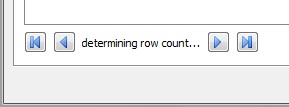\r\n\r\n\r\nUseful extra information\r\n-------------------------\r\n> DB4S v3.11.99 (Dec 5 2018) on Windows 7 SP 1 (6.1) (winnt/6.1.7601) [x86_64]\r\n> using SQLite Version 3.26.0\r\n> and Qt 5.11.2","author":{"url":"https://github.com/karim","@type":"Person","name":"karim"},"datePublished":"2018-12-06T18:53:26Z","url":"https://github.com/sqlitebrowser/sqlitebrowser/issues/1649"}| react-profiling | 0 |
| react-import-map | react,react-dom,react-dom/client,react-dom/profiling,react-is,react/compiler-runtime,react/jsx-dev-runtime,react/jsx-runtime,scheduler@b8488ee2c322 |
| route-pattern | /_view_fragments/issues/show/:user_id/:repository/:id/issue_layout(.:format) |
| route-controller | voltron_issues_fragments |
| route-action | issue_layout |
| fetch-nonce | v2:34f6a0c9-b85c-76bd-bfe5-4f90b576246e |
| current-catalog-service-hash | 81bb79d38c15960b92d99bca9288a9108c7a47b18f2423d0f6438c5b7bcd2114 |
| request-id | CF38:1FA7D2:1D6FBD:2834DE:6AFD5062 |
| html-safe-nonce | 546dac9e2822f238abb22bc67191b90709a261be3b106b706c813fe00a7dfaa8 |
| visitor-payload | eyJyZWZlcnJlciI6IiIsInJlcXVlc3RfaWQiOiJDRjM4OjFGQTdEMjoxRDZGQkQ6MjgzNERFOjZBRkQ1MDYyIiwidmlzaXRvcl9pZCI6IjQwMzU4ODA3Nzg3MTI1Njc5MDYiLCJyZWdpb25fZWRnZSI6ImlhZCIsInJlZ2lvbl9yZW5kZXIiOiJpYWQifQ== |
| visitor-hmac | 08a757d4b7edbe7acd75d567cecbd5ad091615083fd6e6984ae7e81ba3180628 |
| hovercard-subject-tag | issue:388349301 |
| github-keyboard-shortcuts | repository,issues,copilot |
| google-site-verification | Apib7-x98H0j5cPqHWwSMm6dNU4GmODRoqxLiDzdx9I |
| octolytics-url | https://collector.github.com/github/collect |
| analytics-location | / |
| fb:app_id | 1401488693436528 |
| apple-itunes-app | app-id=1477376905, app-argument=https://github.com/_view_fragments/issues/show/sqlitebrowser/sqlitebrowser/1649/issue_layout |
| twitter:image | https://opengraph.githubassets.com/6367ae28f8082c9a75cd429c7a1ae26c11cb58df152f6227efc5dd86213c03fc/sqlitebrowser/sqlitebrowser/issues/1649 |
| twitter:card | summary_large_image |
| og:image | https://opengraph.githubassets.com/6367ae28f8082c9a75cd429c7a1ae26c11cb58df152f6227efc5dd86213c03fc/sqlitebrowser/sqlitebrowser/issues/1649 |
| og:image:alt | Details for the issue If you open a project file, you expect to see the last table you saved displayed in Browse Data tab. What I saw instead is the first table, and it is not showing anything. Jus... |
| og:image:width | 1200 |
| og:image:height | 600 |
| og:site_name | GitHub |
| og:type | object |
| og:author:username | karim |
| hostname | github.com |
| expected-hostname | github.com |
| None | 66653c2e55a6fff2930be1bdf07ee4f8aa137e3956d056c822563be6f878755e |
| turbo-cache-control | no-preview |
| go-import | github.com/sqlitebrowser/sqlitebrowser git https://github.com/sqlitebrowser/sqlitebrowser.git |
| octolytics-dimension-user_id | 7454271 |
| octolytics-dimension-user_login | sqlitebrowser |
| octolytics-dimension-repository_id | 19416551 |
| octolytics-dimension-repository_nwo | sqlitebrowser/sqlitebrowser |
| octolytics-dimension-repository_public | true |
| octolytics-dimension-repository_is_fork | false |
| octolytics-dimension-repository_network_root_id | 19416551 |
| octolytics-dimension-repository_network_root_nwo | sqlitebrowser/sqlitebrowser |
| turbo-body-classes | logged-out env-production page-responsive |
| disable-turbo | false |
| browser-stats-url | https://api.github.com/_private/browser/stats |
| browser-errors-url | https://api.github.com/_private/browser/errors |
| release | b6f01f7cb9f35f8c09949773241a3d49dd04b340 |
| ui-target | full |
| theme-color | #1e2327 |
| color-scheme | light dark |
| react-app-name | issues |
Links:
Viewport: width=device-width
